Exporting Field Data from Ag Leader (AgFiniti)
This guide will walk you through the steps to export field data layers (such as Planting and Harvest data) from your Ag Leader AgFiniti account into a Shapefile format, which can then be uploaded to our system.
Video Tutorial
The screenshots below are from the Export Options in AgFiniti® video by Ag Leader. First read through the steps below, then watch the video for a visual walkthrough if needed.
1. Select the Data Layers
First, you need to ensure the correct data is selected.
- In the top left corner of the map. Select the correct field, year, and operation.

2. Initiate the Export Tool
Next, you will access the export function from the map tools.
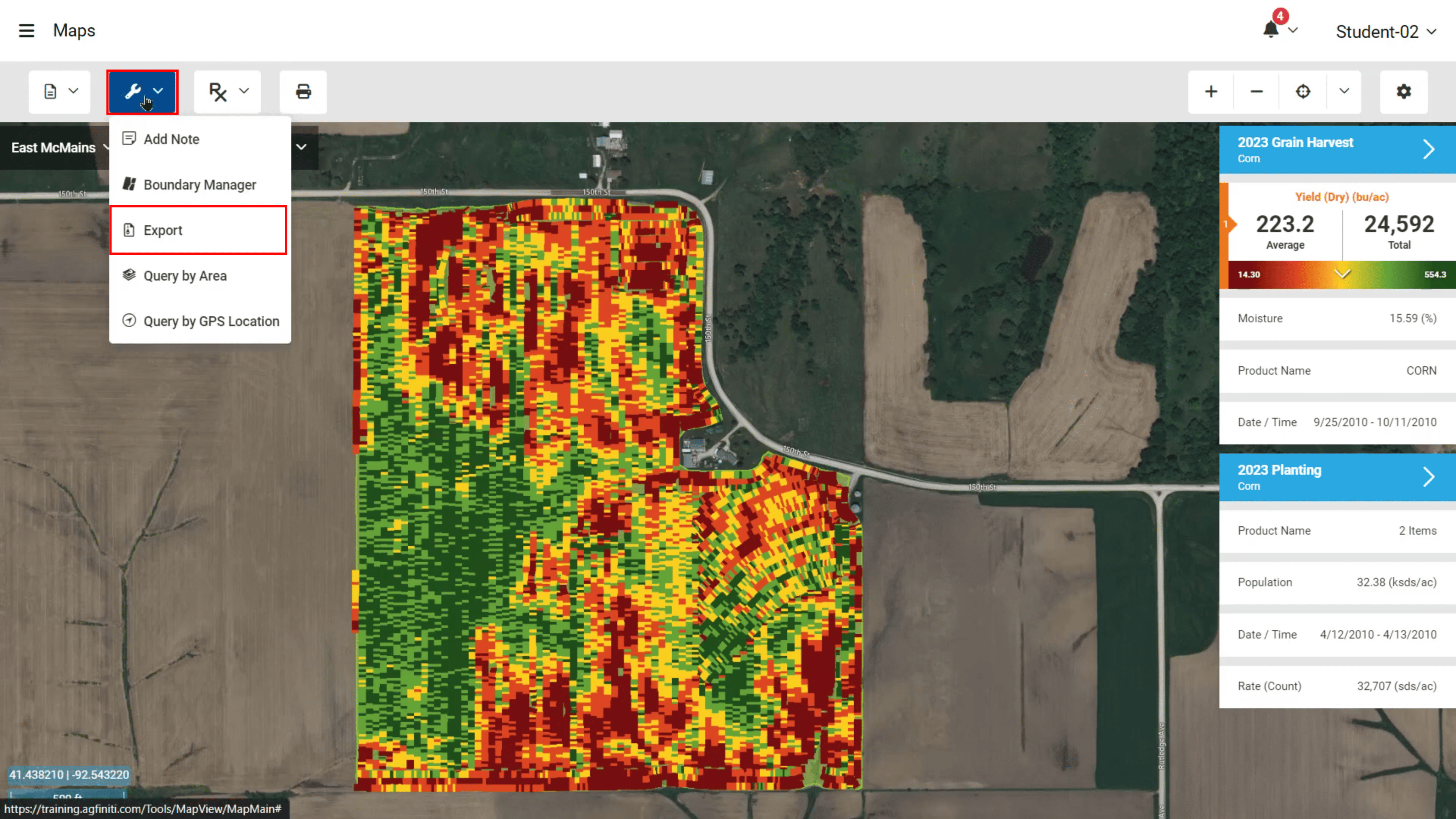
- Click the Tools dropdown (the wrench icon) on the map toolbar and from the dropdown menu, select Export.
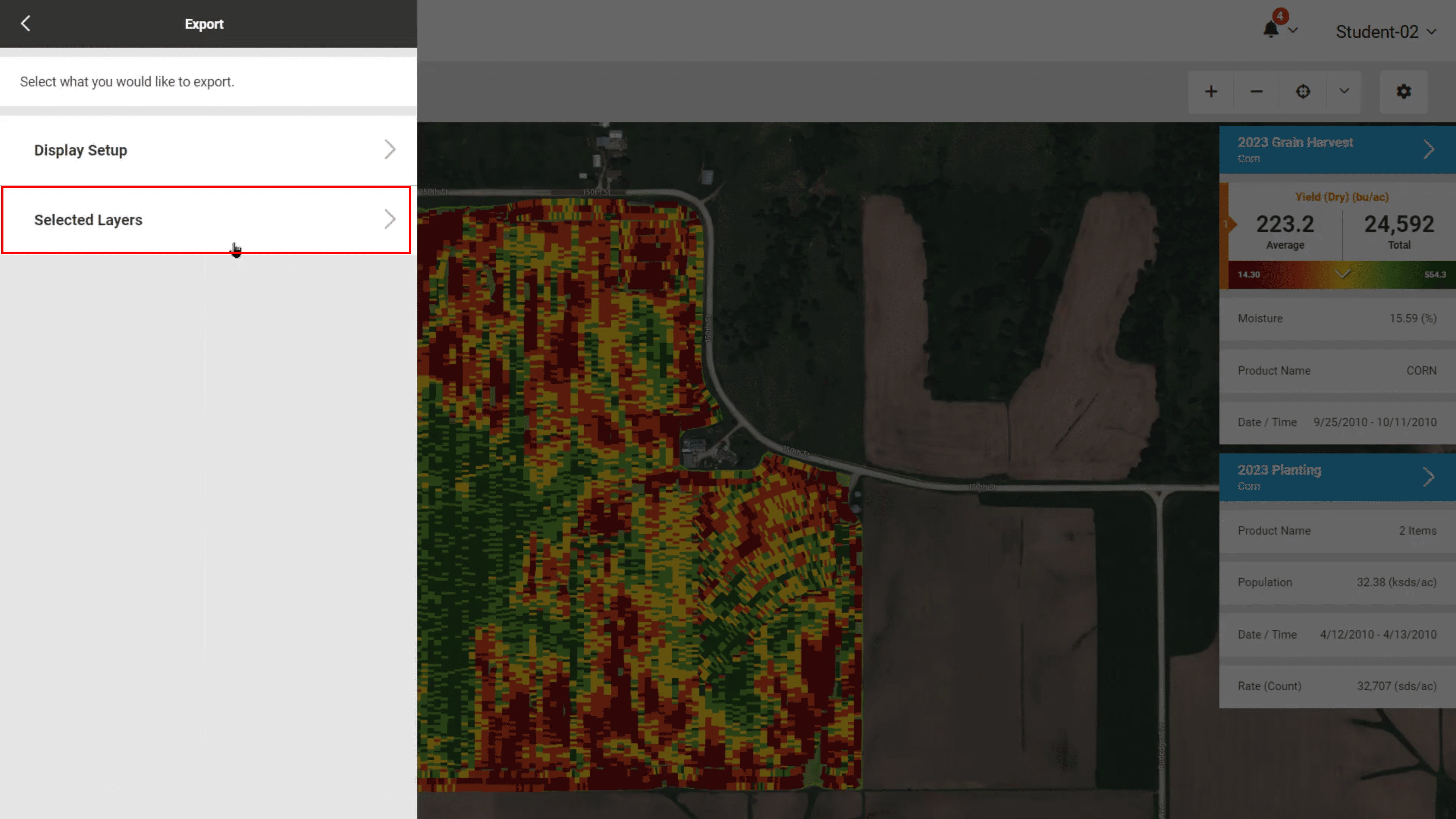
- In the export panel that appears, select Selected Layers.
3. Configure and Confirm Export
Now, set the file format and choose the layers you want to export.
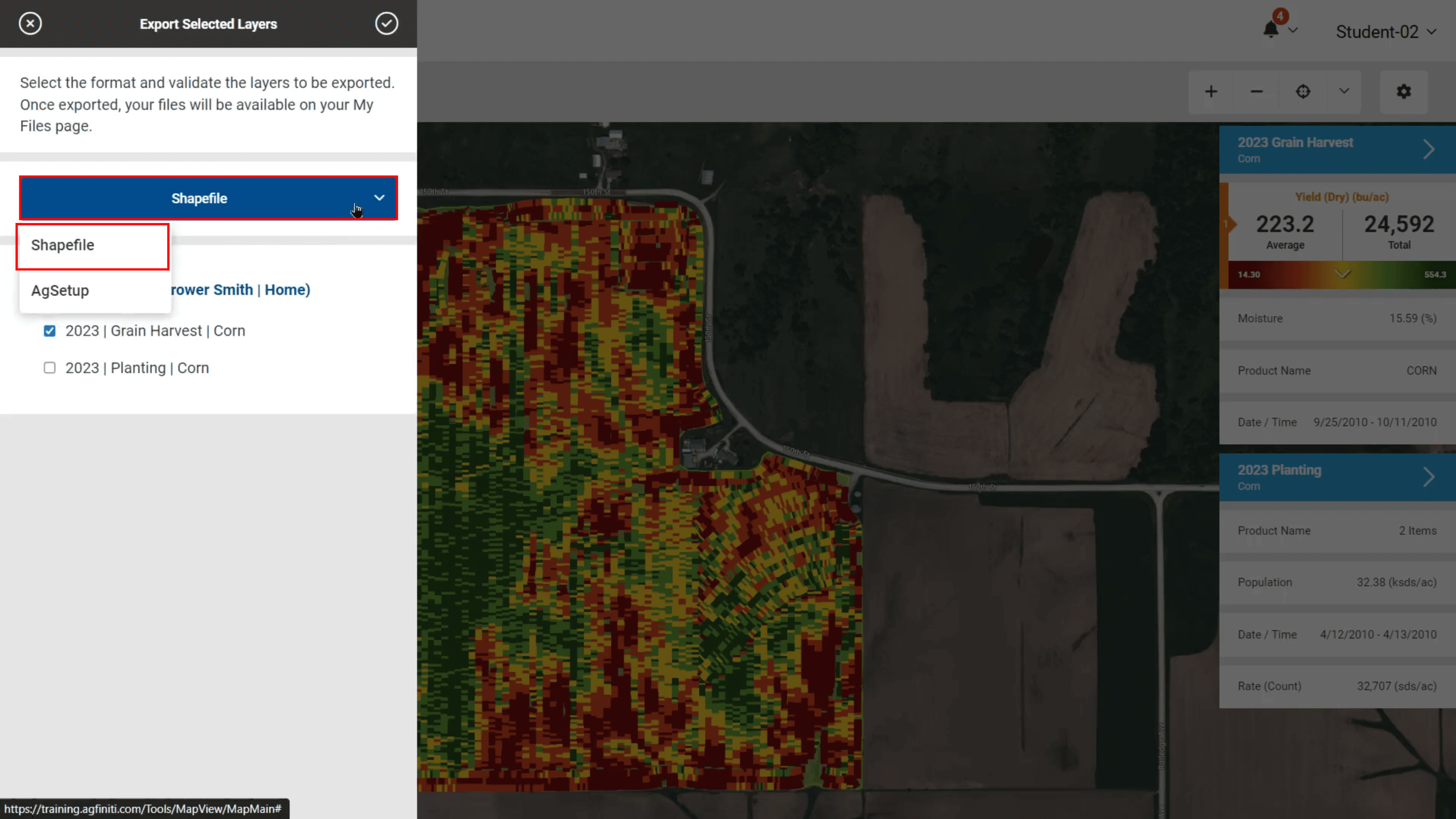
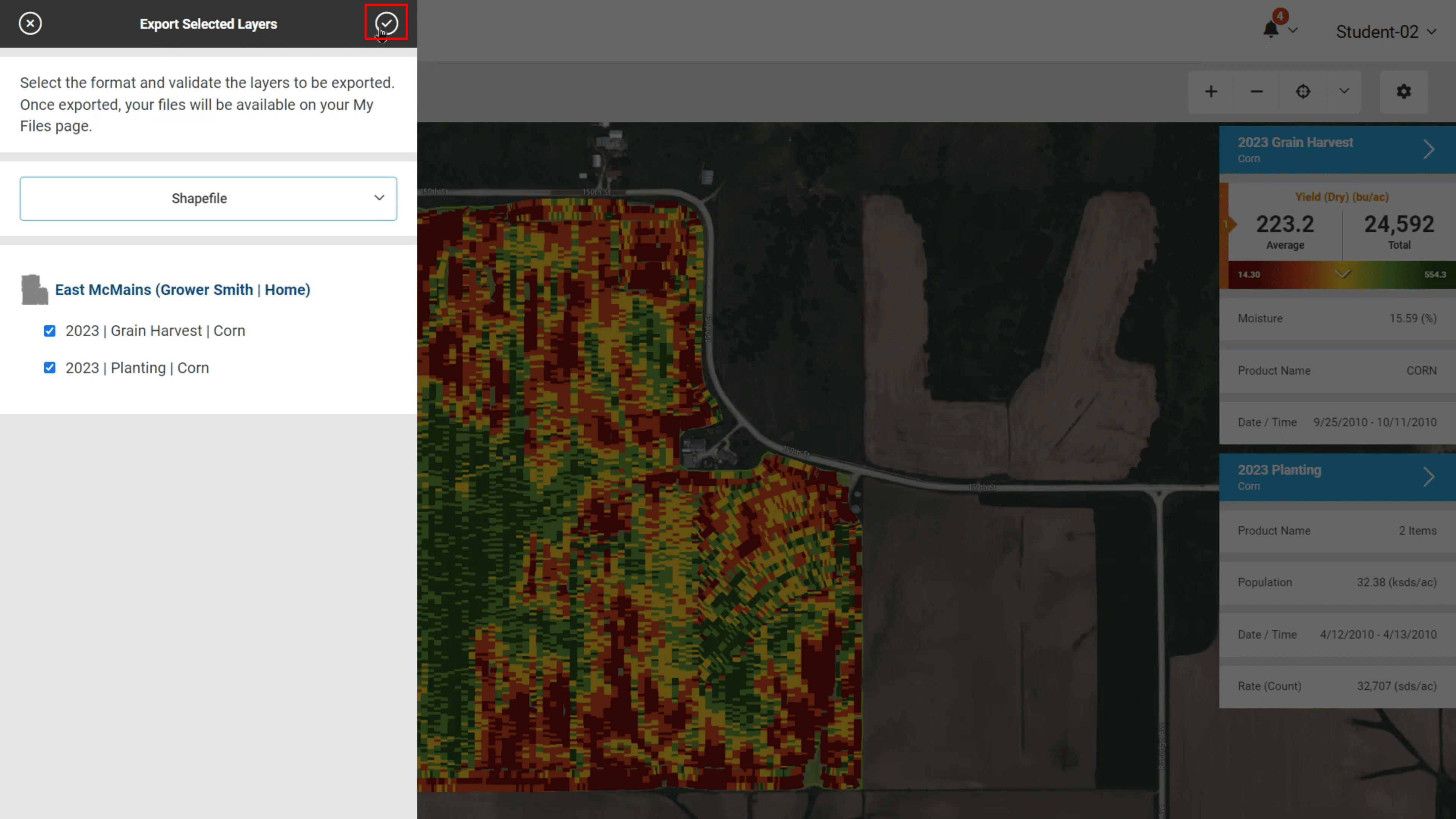
- Click the dropdown to select the output format and select Shapefile as the export format. This is the format required for our system.
- Ensure to check the boxes for the data layers you wish to export (e.g., Planting).
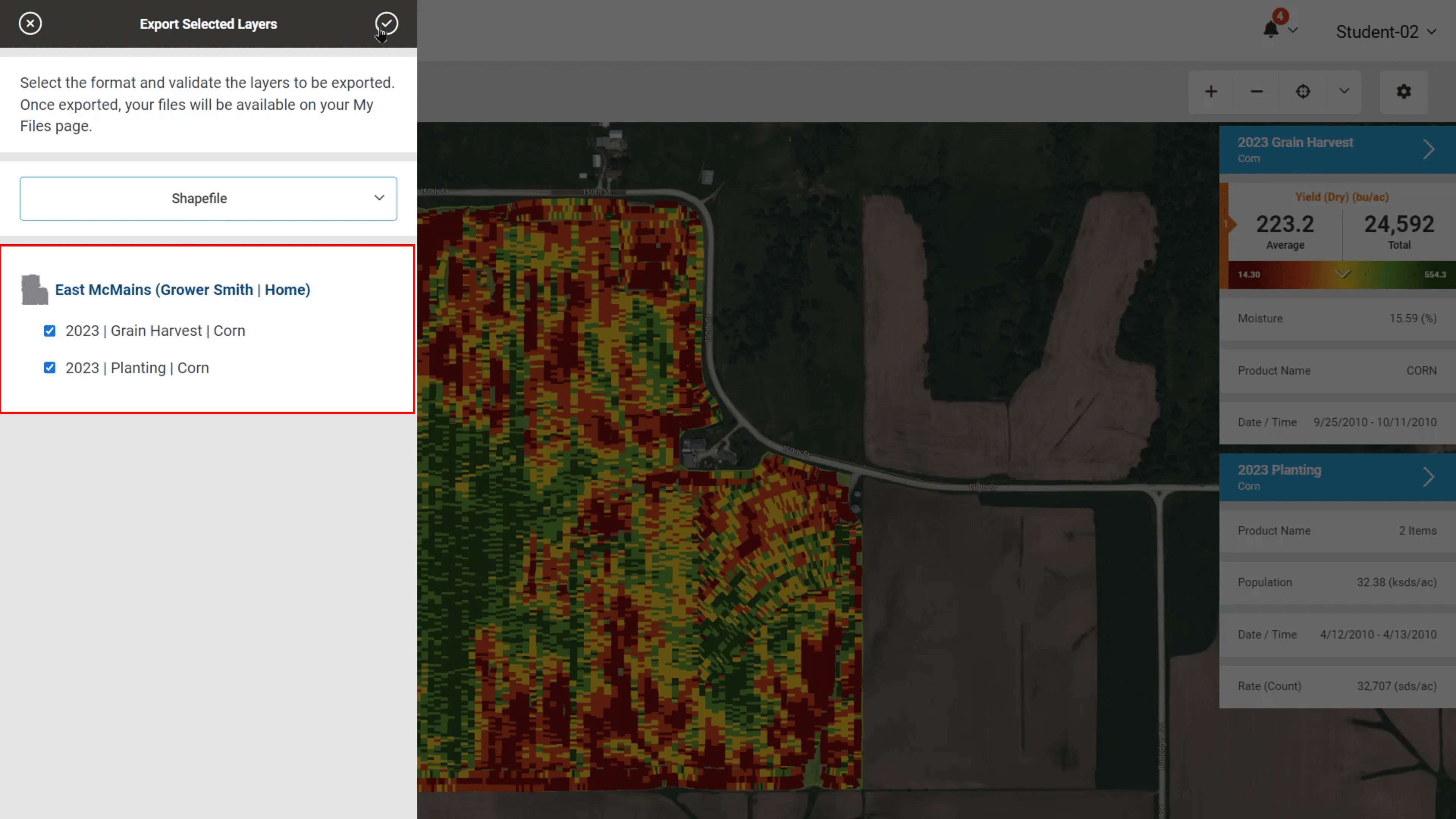
- Once the format is set and the layers are checked, click the checkmark icon at the top right of the "Export Selected Layers" panel to start the export.
4. Retrieve the Exported Data
AgFiniti will begin processing the export.
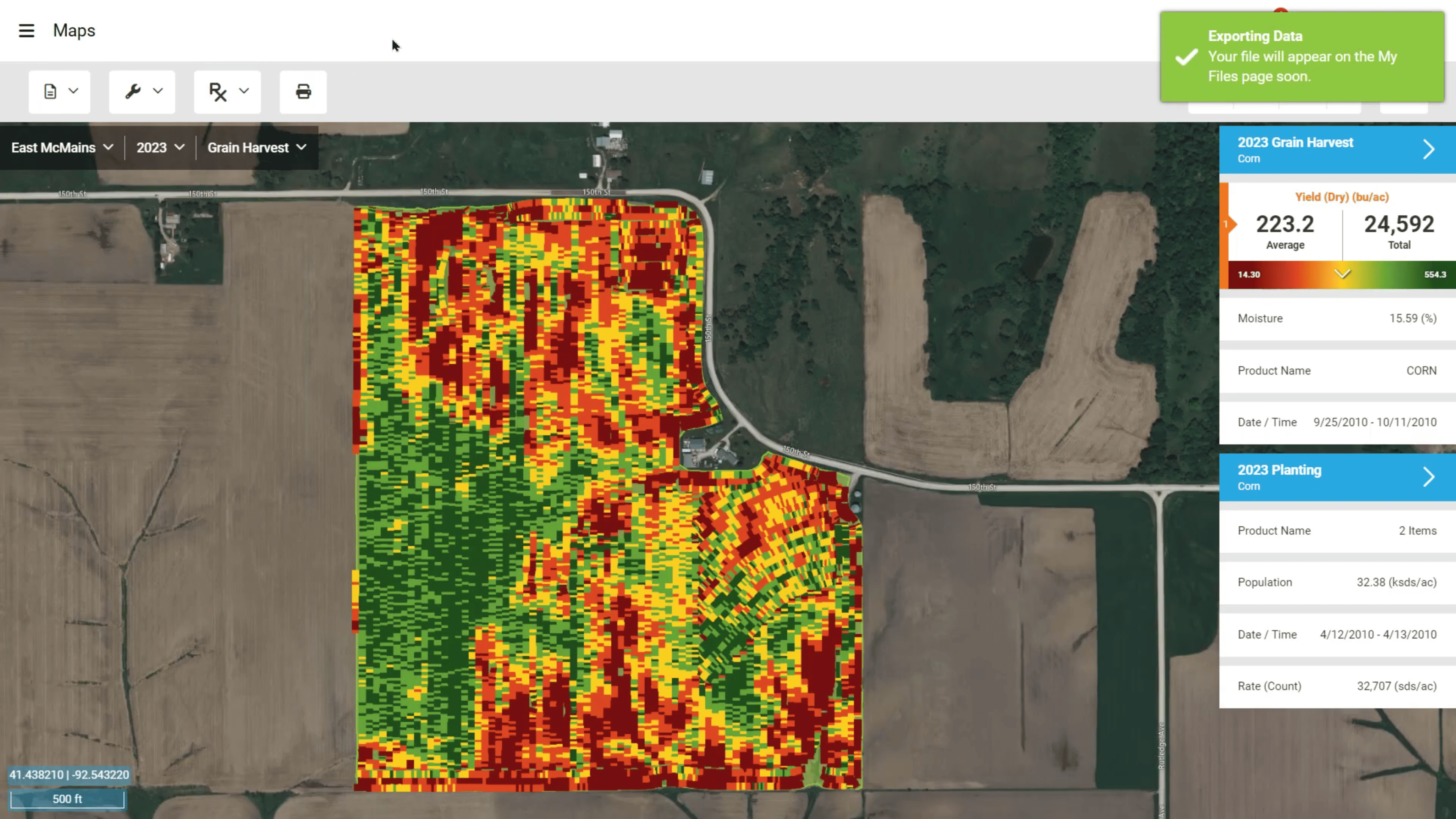
- A confirmation toast notification will appear in the top right corner, indicating that the export is in progress and your file will be available on the My Files page soon. It should also start a download automatically.
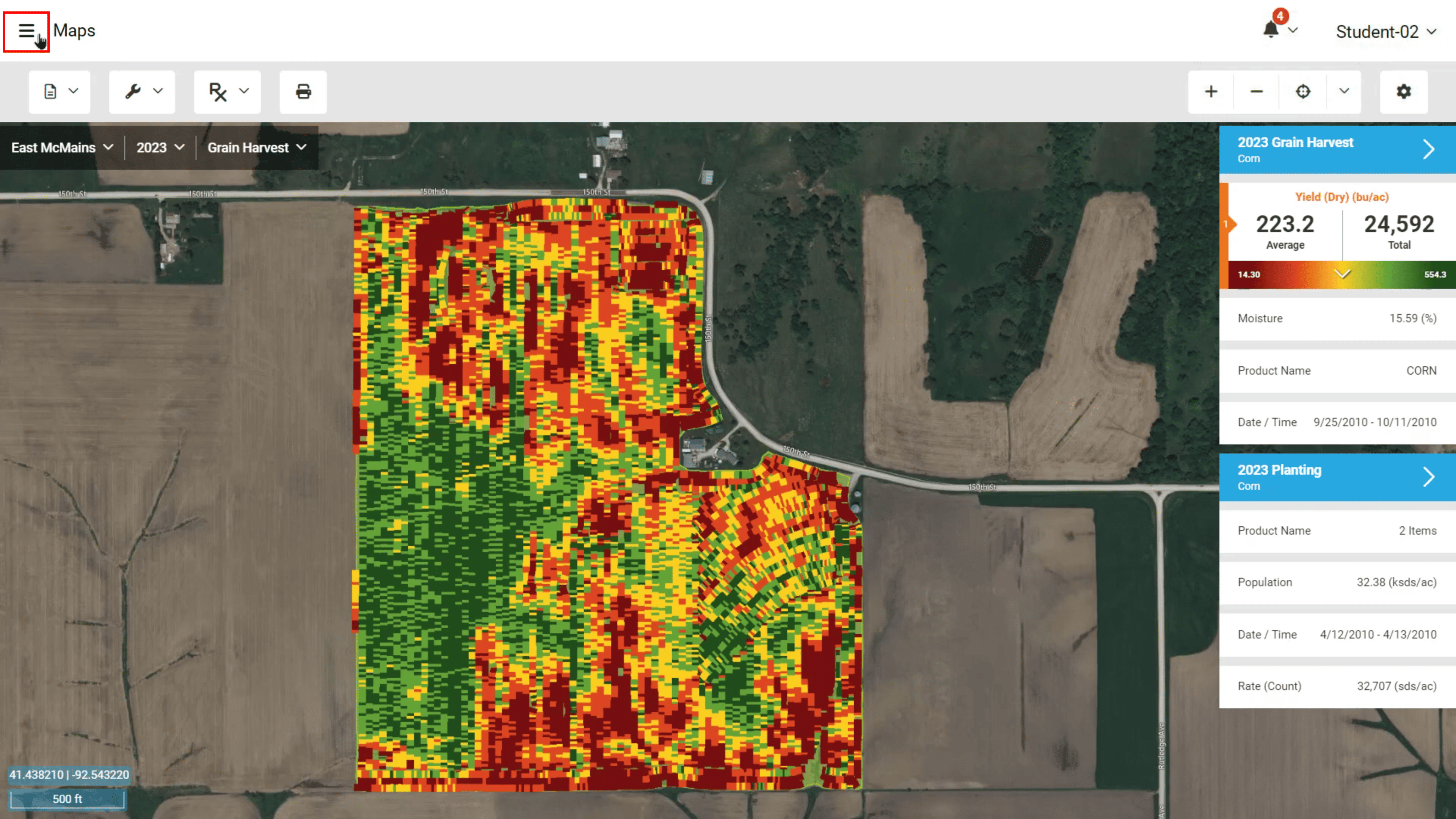
- Open the sidebar by clicking the hamburger menu (three horizontal lines) in the top left corner of the screen.
- Navigate to your My Files page.

- On the My Files page, locate the most recent export file (it will be a compressed .zip file) and download it.
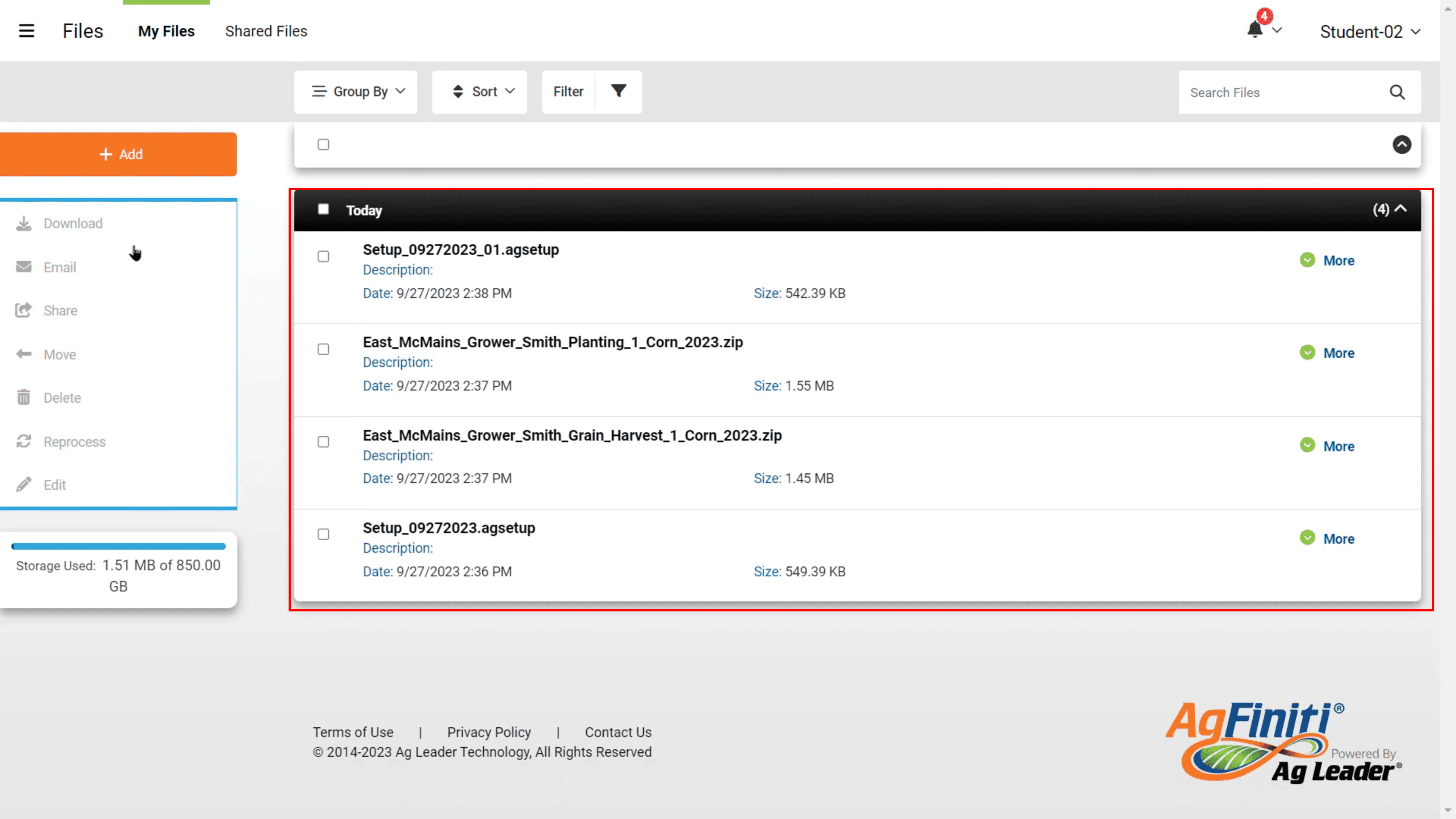
You can now upload this downloaded .zip file directly into our system!