Converting ISOXML to Shapefile (Agrinavia)
This guide walks you through converting an ISOXML file exported from your Fendt system (Fendt CONNECT / VarioDoc) into a Shapefile using the free Agrinavia online converter. The resulting Shapefile can then be uploaded directly into our system.
1. Upload Your ISOXML File
- Open the Agrinavia ISOXML converter in your browser.
- Click Choose a zip file here and select the .zip file exported from your Fendt system (it contains the
TASKDATA.XMLand associated files).
2. Select the Map Layers to Convert
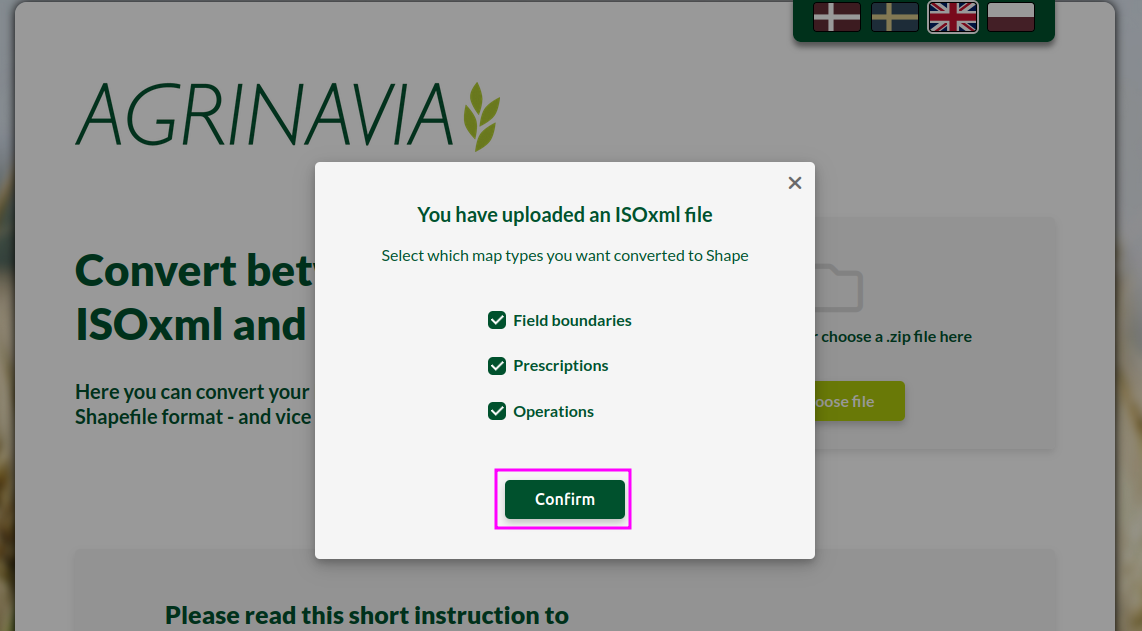
After uploading, a dialog will appear asking which layers you want converted to Shapefile.
- Check Operations — this contains your planting data.
- Optionally check Field boundaries if you also want to include field boundary data.
- Click Confirm to start the conversion.
3. Download the Shapefile
The converter will process the file and automatically download a .zip file containing the resulting Shapefiles.
You can now upload this .zip file directly into our system!